
Turning an AI filter into a Lenticular Print is easy - the end result will be the original photo as the first frame, and the AI rendering as the second frame. Follow along below to see how this is achieved.
____________________________________________________________________________________________
Step 1: Select which AI filter(s) you want to offer as a lenticular print
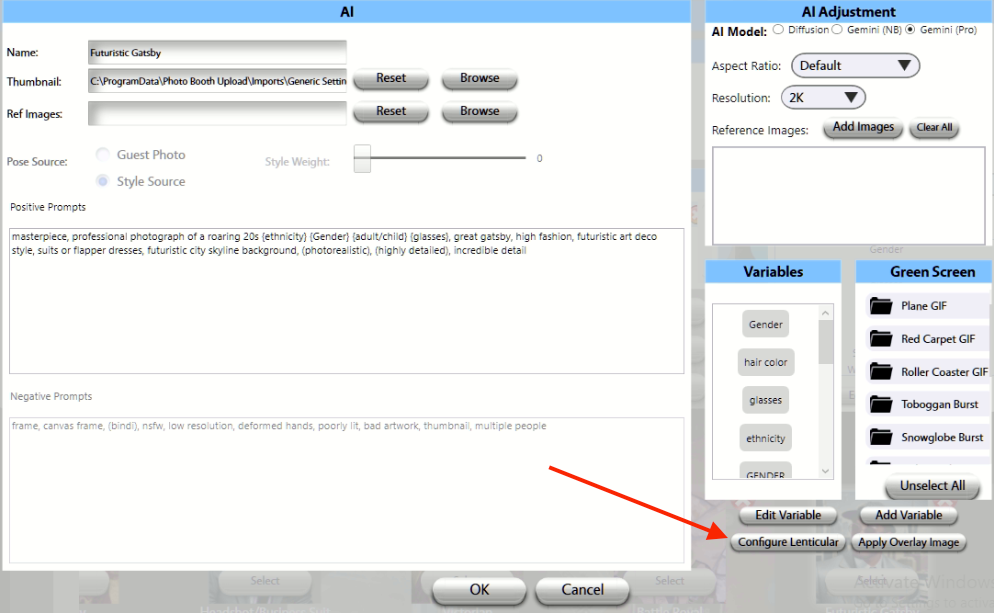
Step 2: Open filter, and select 'Configure Lenticular'
Step 3: Select 'Save AI Frames as Lenticular'
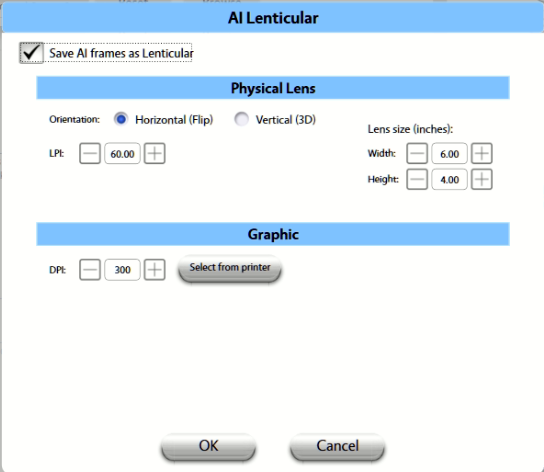
Step 4: Select the appropriate values for your LPI (determined by which lenses you will be using). Configure Lens size and select Printer.
Step 5: Click 'OK' to save your settings and test
For more information on Lenticular functionality, please see our Lenticular guides HERE