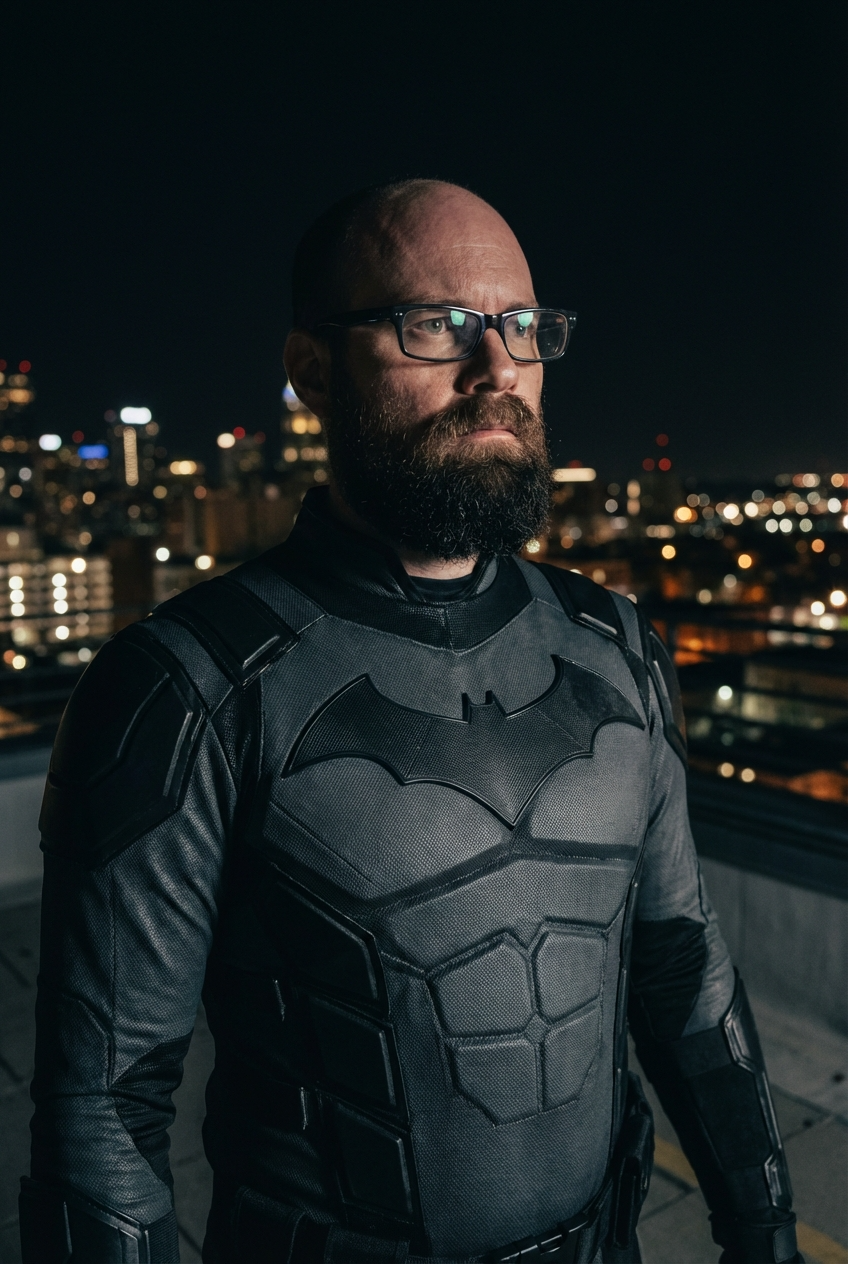
If you are looking to test AI with a single image or set of images (without capturing new photos for every render), you can simply apply an overlay to a green screen filter (or multiple filters) with different genders/ethnicities/etc.
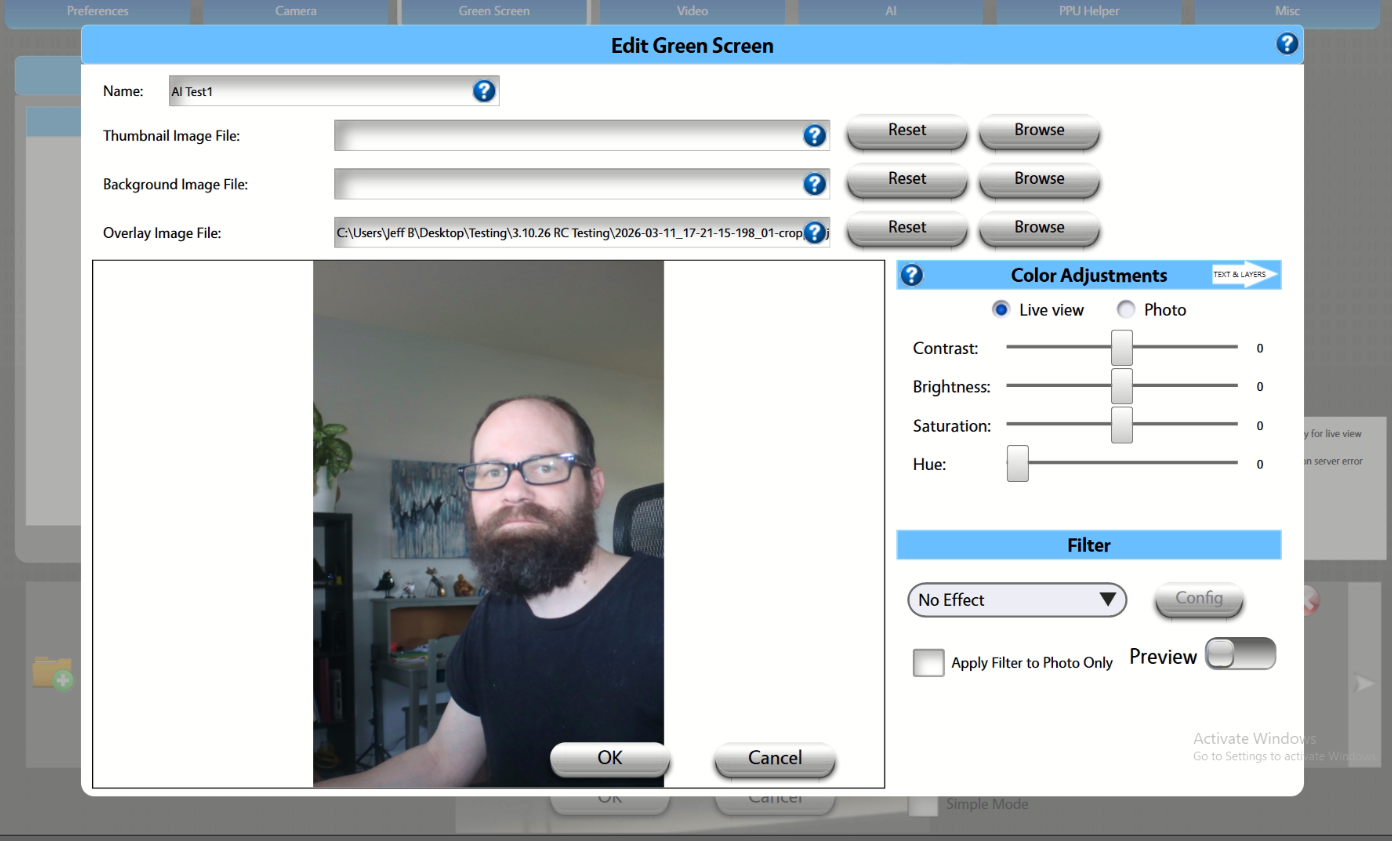
In the Green Screen tab, create a new filter with a person applied as an overlay. See the examples below:
Apply the green screen filter you've created to your AI Filter:
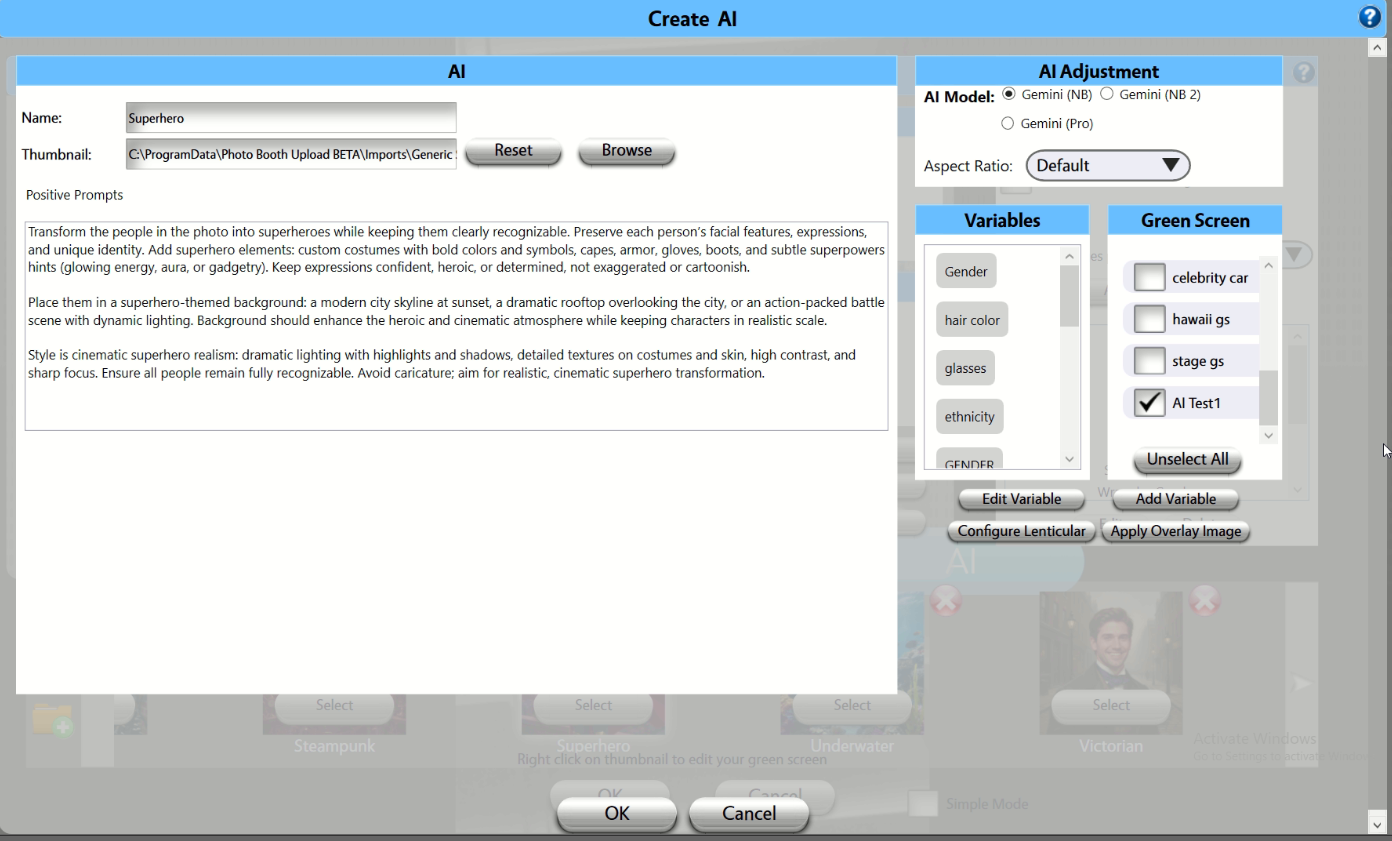
Use auto-apply or user-select and select the relevant green screen in your AI filter(s).
Subsequent Photos captured and rendered in AI will use the overlay image for the rendering: